Party Parrot
birthday party parrot
:birthday_party_parrot:
Also matches: birthday party parrot · birthday-party-parrot · birthdaypartyparrot
- Format
- GIF
- Size
- 128 × 128
- Animated
- Yes
:birthday_party_parrot:
Also matches: birthday party parrot · birthday-party-parrot · birthdaypartyparrot
#general
wait who designed it's perfect, I love it here
131Inline at 22px like Slack renders it. Reactions are pills with the emoji + count.
GIF above. It's already sized 128×128 — exactly what Slack wants.Need it for a different chat app? PNG and GIF emoji work the same way in Discord, Mattermost, Rocket.Chat, and most modern chat tools.
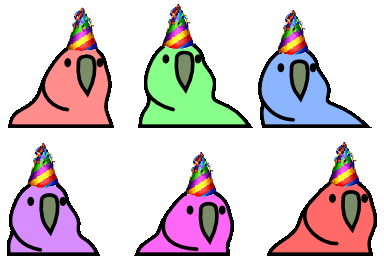
Featuring a pink version of the classic internet meme bird, this sticker shows the character wearing a vibrant, rainbow-striped party hat complete with a small pom-pom on top. Known as the Birthday Party Parrot, this digital icon is a staple of online communication platforms like Slack and Discord, where it is frequently used to celebrate milestones, birthdays, and festive achievements. The simple, bold-outlined cartoon style captures the playful energy of the original animations, making it the perfect reaction to send when wishing someone a happy birthday or hyping up a virtual party.